Alfalpha
Australia
iOS + Android (Flutter)
Objective-C to Flutter
Enterprise Field App
Overview
iOS-to-Flutter Migration with Zero Data Loss
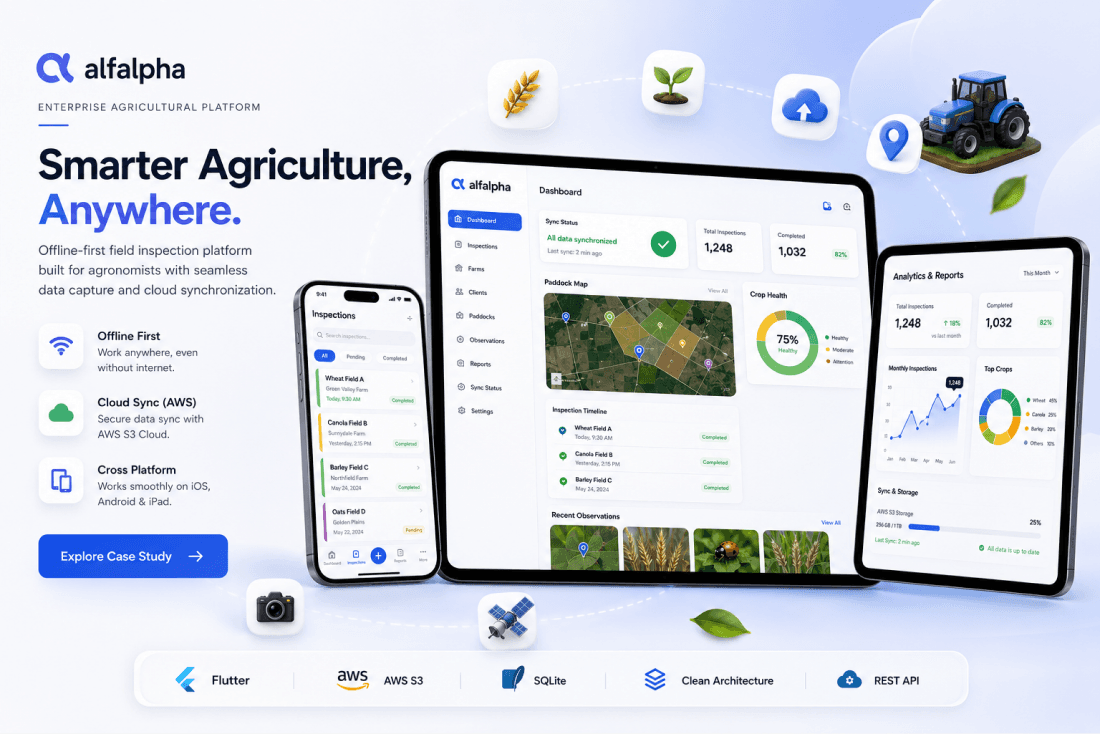
Alfalpha is an offline-first agricultural field inspection platform used by professional agronomists across Australia. Originally built as a native iOS (Objective-C) application over 8+ years, we executed a complete ground-up rewrite in Flutter while maintaining byte-level backward compatibility with the existing production database, sync protocol, and server API.
The result is a cross-platform application that seamlessly replaces the iOS original including supporting live data migration from existing iOS installations while delivering a modern, maintainable codebase built on Clean Architecture principles. Agronomists work in remote farmland with no internet connectivity, making offline-first architecture non-negotiable.
The Flutter app can coexist with the original iOS app on the same Rails backend simultaneously, ensuring zero disruption during the rollout.
Tech Stack
The Challenge
What the Client Needed
Complete rewrite from Objective-C to Flutter with zero data loss agronomists had years of inspection data on their iPads
Byte-level backward compatibility with the existing Rails backend API and bidirectional sync protocol
Offline-first architecture agronomists work in remote Australian farmland with no internet connectivity
Same AID primary key format across old and new apps for global uniqueness without device coordination
Live data migration from existing iOS installations while the Rails backend remains unchanged
Cross-platform readiness (iOS + future Android) from a single modern, maintainable codebase
What We Built
Key Features Delivered
Paddock Inspection System
Complex inspection recording with timeline navigation, observation recording (pests, diseases, growth stages), chemical recommendations with searchable picker, and multi-client inspection creation.
Offline-First Bidirectional Sync
Two-phase sync protocol with Apple Reference Date timestamps, 30-second debounced background sync via Dart Isolates, clock skew auto-correction, and server-wins conflict resolution.
iOS Data Migration
3,350-line migration service reads the bundled iOS FMDB database and copies all 22 tables into the Flutter database with zero data loss, preserving years of agronomist inspection history.
Pattern Lock Authentication
Custom swipe-pattern authentication with three responsive layout variants (mobile, tablet-portrait, tablet-landscape), shake animation on incorrect entry, and first-run data initialization.
Photo Pipeline with S3 Upload
Photos captured via camera or gallery, stored locally per-inspection, then uploaded directly to AWS S3 using HMAC-SHA256 signed requests with WiFi-only enforcement for rural areas.
AID Primary Key System
Globally unique string identifiers (DDDDccc_NNNNNNNN format) ensure byte-level compatibility across old iOS and new Flutter apps without any coordination between devices.
Multi-Brand Support
Single codebase serves both Alfalpha and ORDCO brands via a one-line config change switching API URL, S3 bucket, sync interval, and logging behaviour automatically.
Responsive Tablet & Phone UI
Three-variant layout system (mobile, tablet-portrait, tablet-landscape) built with flutter_screenutil on a 430x932 design base, optimized for iPad fieldwork.
Screens Delivered
10+ Major Screens Across All Workflows
Pattern Lock, First-Run Initialization
Client List, Client Detail, Paddock Management
Inspection Timeline with Date/Paddock Navigation
Observation Recording with Sub-Categories
Chemical Recommendations with Dose Picker
Notes Editor with Phrase Library Insertion
Photo Capture & Gallery per Inspection
Report Generation & Email Distribution
Configuration: Chemicals, Observations, Phrases
Recheck List & Email Management
Architecture
How It's Built
Clean Architecture
167 Dart source files organised into Presentation, Domain, and Data layers. 7 Cubits for state management, 11 Repository implementations, 15 Local Data Sources, and 31 Data Models.
Domain (Contracts + Entities)
Data (Repos + Sources + Models)
Services (21 services)
Sync Protocol
Two-phase sync: /device/init for first-run full data dump, then /device/sync for incremental changes. Background sync via Dart Isolate with SendPort/ReceivePort, 30-second debounce, and broadcast stream for UI auto-refresh.
Soft Delete & Data Integrity
Records are never hard-deleted. The statuses table tracks deleted_at timestamps. An OrphanedDataCleanupService runs at startup to find and soft-delete child records whose parents are deleted or missing.
Scale Metrics
167
Dart Files
52,750+
Lines of Code
31
Data Models
21
Services
23
DB Tables
16
UI Components
Results
What We Shipped
52,750+ lines of production Dart code with full iOS feature parity
Zero data loss during iOS-to-Flutter migration seamless transition for all agronomists
Wire-compatible sync Flutter and iOS apps coexist on the same Rails backend simultaneously
Multi-brand support Alfalpha and ORDCO from a single codebase with config-only switching
23 SQLite tables synced bidirectionally with soft-delete architecture
Automated build pipeline with Fastlane and Discord notifications
Orphaned data cleanup service ensures data integrity at every startup
Future Android readiness Flutter foundation enables Android deployment when needed
Need a legacy app migrated to Flutter with zero data loss?