
OpenClaw vs Hermes Agent: Which Self-Hosted AI Agent Should You Run in 2026?
OpenClaw vs Hermes Agent compared: stack, chat channels, memory and skills, security model, setup and cost. Which one to pick, and when to run both.
Last verified: 15 October 2026, against the official OpenClaw and Hermes Agent docs. Both projects release often, so re-check details before you rely on them.
OpenClaw and Hermes Agent are the two best-known open-source, self-hosted AI agents you can run yourself and talk to from your chat apps. They overlap a lot, and the choice is not obvious. This comparison is based on the official documentation for both, and it points out where a source has a bias.
A quick note on names: Hermes Agent is the agent software from Nous Research. It is not the same thing as the Nous Hermes models, which are open-weight language models. Hermes Agent can run many different models through Nous Portal or your own provider keys.
The 30-Second Answer
- Pick OpenClaw if you want the widest choice of chat apps, a Node/TypeScript stack, a gateway-first design and no paid tier in the picture.
- Pick Hermes Agent if you prefer a Python project built around memory and skills that improve over time, want a native Windows install or like the option of a single Nous Portal login instead of juggling API keys.
- Not sure? Start with one. They store their data in separate folders, so you can try the other later or run both side by side.
What Each One Is
OpenClaw
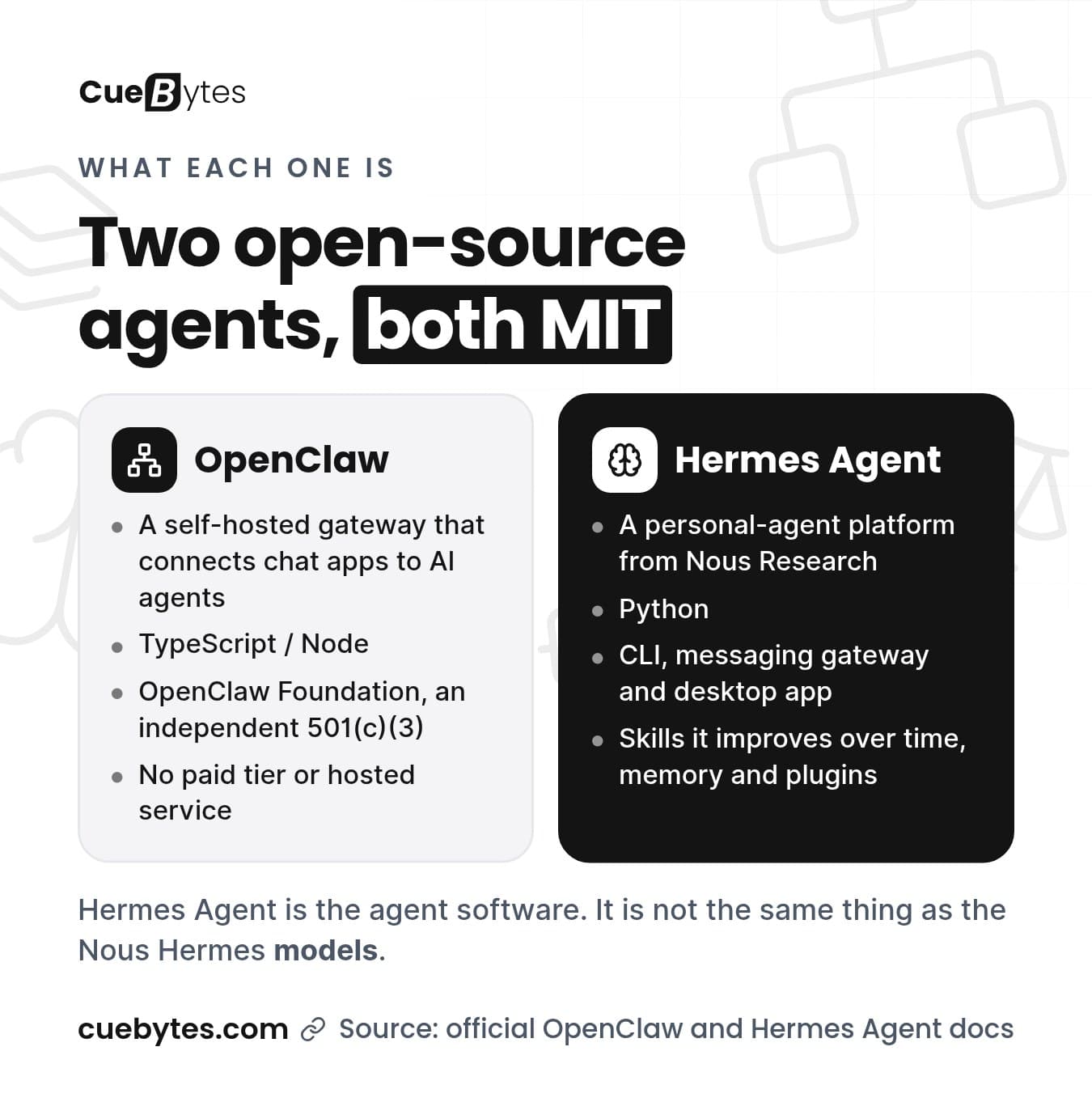
A self-hosted gateway that connects chat apps to AI agents. You run one Gateway process on your own machine or server. It is MIT licensed and developed by the OpenClaw Foundation. See our OpenClaw setup guide for the install steps.
Hermes Agent
An open-source (MIT) personal-agent platform from Nous Research, with a command-line interface, a messaging gateway, a desktop app, skills it improves over time, memory and a plugin system. See our Hermes Agent setup guide.
Side-by-Side Comparison
| OpenClaw | Hermes Agent | |
|---|---|---|
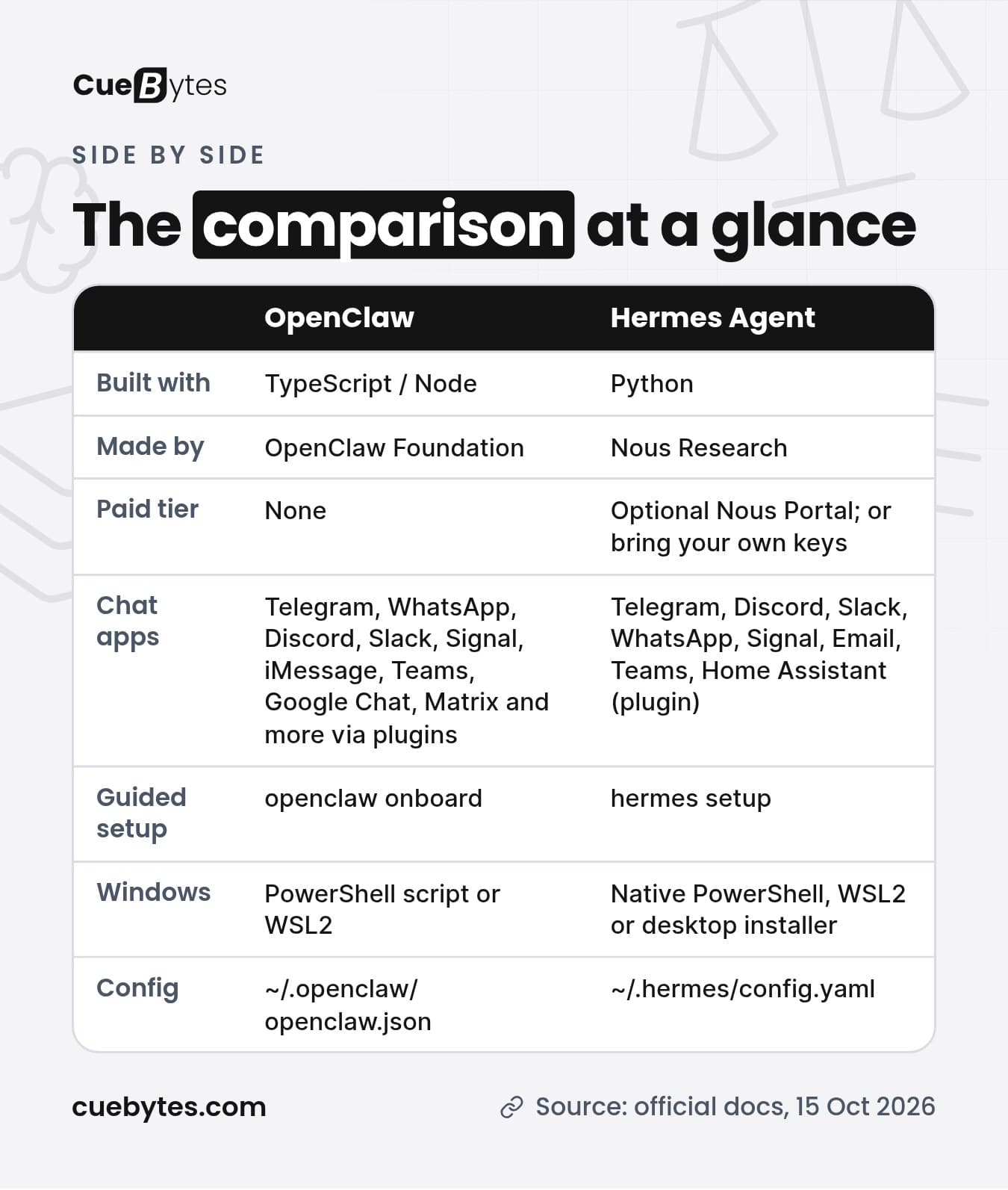
| Built with | TypeScript / Node (Node 24.16+ or 26.1+) | Python (the installer handles dependencies) |
| Made by | OpenClaw Foundation, an independent 501(c)(3) | Nous Research |
| Licence | MIT | MIT |
| Paid tier | None. No hosted service of its own | Optional Nous Portal subscription; you can also bring your own provider keys |
| Chat apps | Telegram, WhatsApp, Discord, Slack, Signal, iMessage, Microsoft Teams, Google Chat, Matrix and more via channel plugins | Telegram, Discord, Slack, WhatsApp, Signal, Email, Microsoft Teams, Home Assistant (plugin) |
| Install (macOS/Linux/WSL2) | curl -fsSL https://openclaw.ai/install.sh | bash | curl -fsSL https://hermes-agent.nousresearch.com/install.sh | bash |
| Install (Windows) | PowerShell script, or WSL2 with the Linux installer | Native PowerShell script, or WSL2; a desktop installer is also offered for macOS and Windows |
| Guided setup | openclaw onboard (Quick start or Custom setup) | hermes setup (Quick Setup via Nous Portal, Full Setup, or Blank Slate) |
| Gateway commands | openclaw gateway install (background service), openclaw dashboard | hermes gateway setup, then hermes gateway |
| Config location | ~/.openclaw/openclaw.json | ~/.hermes/config.yaml (secrets in ~/.hermes/.env) |
| Skills | Skills the agent loads on demand; plugin marketplace (ClawHub) | Skills (SKILL.md files) from a built-in catalog and a Skills Hub; skills it improves over time |
Security Models Compared
Both tools can run shell commands and touch files on your machine, so the security setup matters more than the feature list.
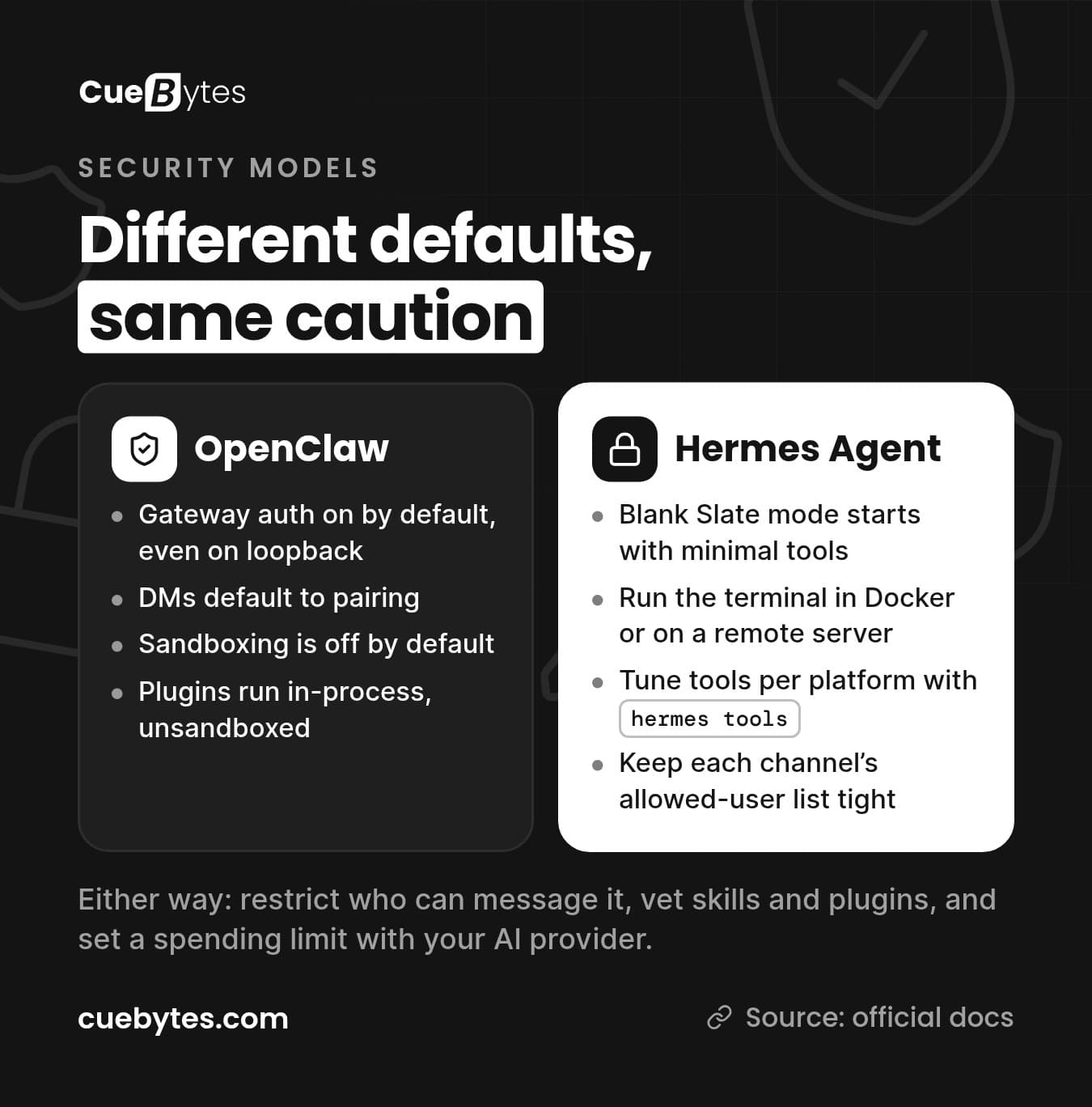
OpenClaw. Gateway auth is on by default, even on loopback, and DMs default to pairing. But sandboxing is off by default and plugins run in-process and unsandboxed. The docs recommend binding to loopback, setting session.dmScope: "per-channel-peer", using sandbox mode for non-main sessions and denying elevated or host exec for shared channels. They describe exposing the Gateway to the public internet as rare and high-risk.
Hermes Agent. Its Blank Slate setup mode starts with only provider and model, file operations and terminal tools, so nothing you did not choose is loaded. You can run the terminal in a Docker container (hermes config set terminal.backend docker) or on a remote server, and tune tool access per platform with hermes tools. Keep each channel's allowed-user list tight, because people you authorize can use tools that include shell access.
A note on bias: OpenClaw's own documentation includes a comparison page with Hermes Agent. It is written by one of the two projects, so treat any side-by-side security claims from either vendor as one side's view and test with your own threat model. We have deliberately left out security claims about Hermes Agent that we could not confirm in its own documentation.
Whichever you choose: restrict who can message it, keep the gateway private, vet every skill or plugin, and set a spending limit with your AI provider.
Setup Effort and Running Cost
Both install with a single command and walk you through a setup wizard. Neither charges for the software. Your real running costs are:
- AI model usage, billed by your provider, or through a Nous Portal subscription if you choose that route with Hermes Agent.
- A machine that stays on: your own computer, or a small VPS.
- Your time, or a setup service.
Hermes Agent needs a model with at least 64,000 tokens of context. Most hosted models meet that easily, but if you run a local model you need to set its context size accordingly.
Running Both on One Machine
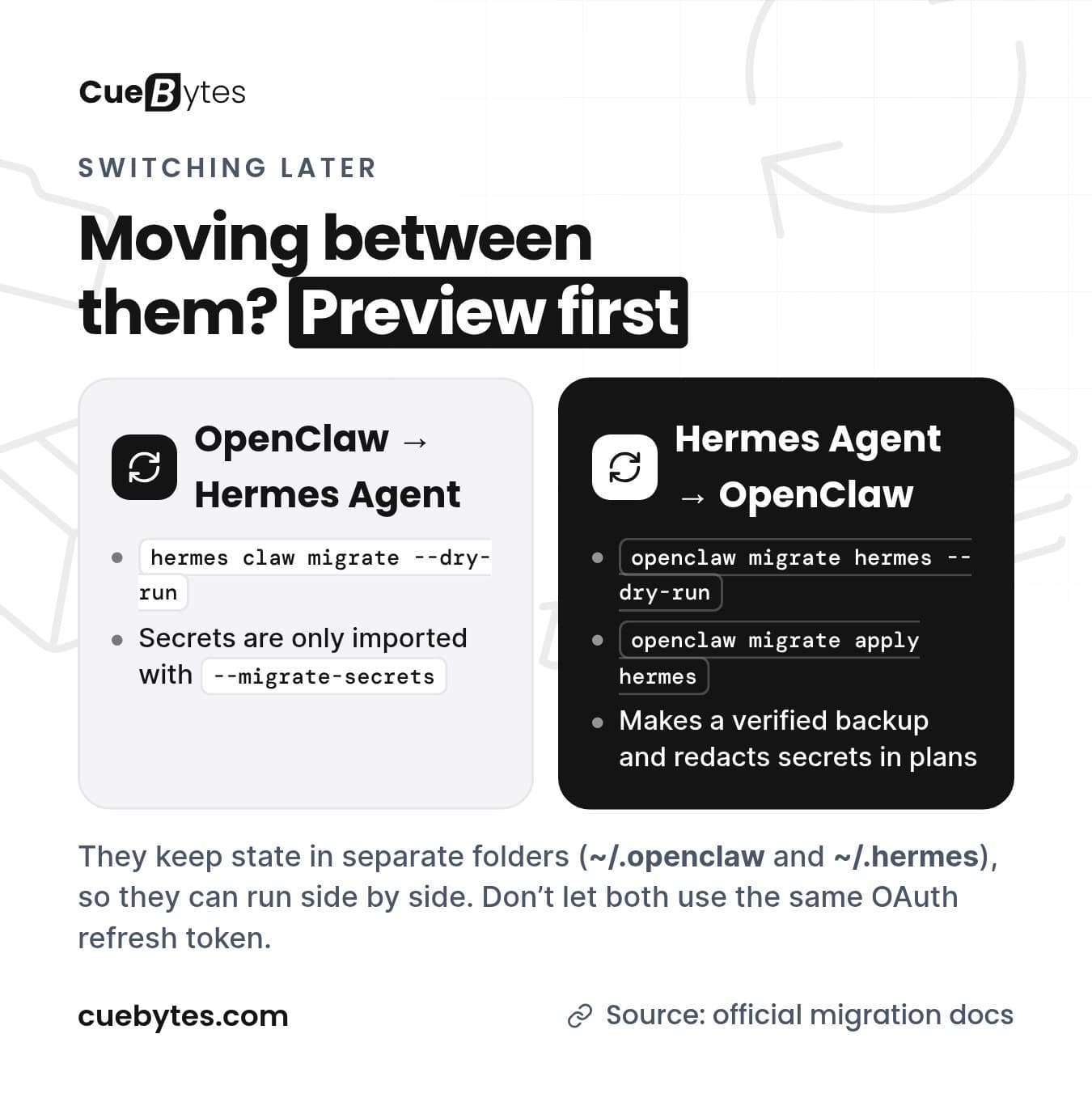
OpenClaw keeps its state in ~/.openclaw and Hermes Agent in ~/.hermes, so the two do not collide. If you migrate OAuth credentials from one to the other, make sure both do not use the same refresh token.
Migrating Between Them
Always preview first.
OpenClaw to Hermes Agent
hermes claw migrate --dry-runSecrets are only imported if you add --migrate-secrets.
Hermes Agent to OpenClaw
openclaw migrate hermes --dry-run
openclaw migrate apply hermes
OpenClaw makes a verified backup and redacts secrets in the plans it shows you.
Which One Would We Pick?
This is our opinion, not a benchmark, and we have not run controlled tests of the two.
- Solo founder who lives in Telegram or WhatsApp: either works. Choose whichever installer you find easier, and use the quick path (OpenClaw Quick start or Hermes Agent Quick Setup).
- Team chat (Slack, Teams, Discord): look at OpenClaw first for its channel catalogue and shared-deployment docs, and read its security section before connecting a shared channel.
- Developer who wants memory and skills that grow: Hermes Agent is built around that.
- Windows without WSL2: Hermes Agent documents a native Windows install, and OpenClaw can be installed from PowerShell too.
Want It Set Up for You?
CueBytes sets up OpenClaw or Hermes Agent, whichever fits, on your computer or server, connects it to your chat app and locks it down. If you are not sure which to choose, we will recommend one. Setup starts at USD 400–500. [SHAHID: confirm exact setup fee, whether OpenClaw and Hermes Agent cost the same, what's included, hosting/managed care pricing and how ordering works] No sales call is needed.
Tell us about your setup through our enquiry form or reply to any of our emails. For wider context on the space, see our guide to the best AI agent tools in 2026 and AI agent development.
Frequently Asked Questions
Can I use both OpenClaw and Hermes Agent?
Yes. They keep separate state directories (~/.openclaw and ~/.hermes), so they can run side by side. If you migrate OAuth credentials between them, do not let both use the same refresh token.
Which one is easier for non-developers?
Both have one-line installers and guided setup. Hermes Agent’s Nous Portal login avoids managing API keys, and OpenClaw’s Quick start verifies your AI access and opens a dashboard. That is our judgment. If you would rather not touch a terminal at all, CueBytes can set either one up for you.
Which one works with WhatsApp and Telegram?
Both support Telegram and WhatsApp, along with Discord, Slack and Signal. OpenClaw lists the wider catalogue of channels, including iMessage, Google Chat and Matrix. If you use WhatsApp, use a number you can afford to lose, because community reports mention bans.
Are OpenClaw and Hermes Agent free?
The software is free and open source under the MIT licence for both. You pay for the AI model you use, for hosting if you do not run it on your own machine, and optionally for a Nous Portal subscription if you choose that route with Hermes Agent.
Can I move from one to the other?
Yes. From OpenClaw to Hermes Agent, preview with hermes claw migrate --dry-run (secrets are only imported with --migrate-secrets). From Hermes Agent to OpenClaw, preview with openclaw migrate hermes --dry-run, then apply it.
— CueBytes LLC
Sources: docs.openclaw.ai (overview, install, migrating from Hermes Agent, OpenClaw and Hermes Agent comparison) · hermes-agent.nousresearch.com/docs (quickstart, migrate from OpenClaw) · github.com/NousResearch/hermes-agent. OpenClaw and Hermes Agent are trademarks of their respective owners. CueBytes is not affiliated with either project.
Ready to Get Started?
Turn this knowledge into action. Let CueBytes help you build it.
Get Your AI Agent Set Up →